Shift.ms is all about support, understanding, and connection. Keeping each other safe online is part of that too!
Here’s your quick guide to staying secure on the app, in DMs, and across the digital world — no jargon, just a few simple tips.
Keeping Your Accounts Safe 🔐
At Shift.ms, we use “magic links” and single sign-on to make it easier and safer for you to log in — no need to remember another password.
If you do use passwords elsewhere, pick a strong, unique one — not the same one you use everywhere else.
Use a password manager to create and store passwords securely.
Protecting Your Personal Info 🧠
Only share what you’re comfortable with — once something’s online, it’s hard to take it back.
Think twice before posting private info like your address, full name, or anything that could guess your passwords (like your dog’s name and birthday 🐾).
Be cautious about clicking links in posts, or DMs, even if they look friendly. When in doubt, don’t click!
Extra important:
Protect your email account!
If someone hacks your email, they can get into lots of your other accounts too.
Turn on two-factor authentication (2FA) for your email.
Set up a backup email address or recovery options, just in case.
Spotting Scams and Staying Scam-Savvy 🚨
Scammers are sneaky — but you can spot them if you know what to watch for:
Unexpected messages asking for personal info? 🚩 Big red flag.
“Too good to be true” offers — amazing deals, prizes, or urgent requests for money? Probably a scam.
Messages that create panic (like “your account will be closed!”) are often fake. Real organisations don’t pressure you like that.
Messages that ask you to communicate on another platform can leave you vulnerable to more targeted attacks that we can’t protect you from.
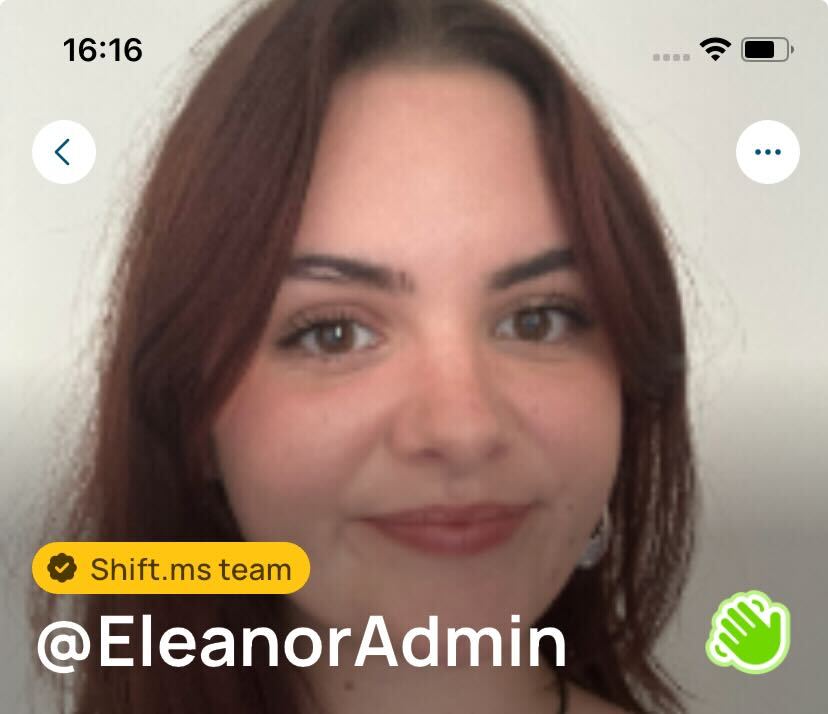
Shift.ms staff have badges on their profiles, meaning you can be sure that you’re speaking to a member of staff. If anyone else claims to be Shift.ms staff in messages, be sure to report it to us straight away.
Understanding Social Engineering (aka Human Hacking) 🕵️♀️
Some scammers don’t hack computers — they “hack” people.
They might:
Pretend to be a friend or Shift.ms staff
Send fake emails or DMs urging you to “click here fast!”
Try to take conversations off-platform (e.g., Gmail, Signal, Telegram or WhatsApp)
Play on emotions (e.g., romance scams)
Offer deals that seem amazing but lead to fake sites
Stay one step ahead by:
Being cautious with surprise messages
Taking your time before clicking anything
Checking web addresses carefully
Trusting your instincts — if something feels off, it probably is
If Something Feels Wrong…
Use the Block and Report functions if someone’s making you uncomfortable
If you think your Shift.ms account’s been compromised, change your email and app login immediately and let the team know at [email protected]
By looking out for yourself (and each other!), we can keep Shift.ms a safe, welcoming space for everyone.